Portraits and profile photos
How to change an ID photo’s background colour
For a CV, a staff or student card, a membership card or an exam form, you can change a photo’s background to white, blue or red in a few minutes: in the Change Background editor, remove the background, fill it with the colour you need and download a JPG. For passports, visas, residence permits and national ID cards, don’t. Most governments reject edited photos, and Canada and South Korea name background replacement specifically. Take a new photo against a plain wall of the right colour instead, or have it taken at a photo shop.
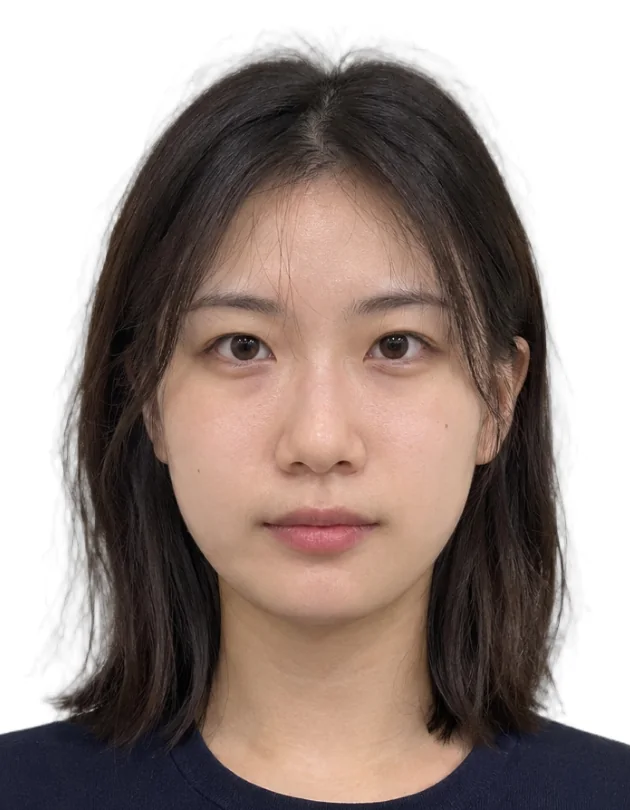
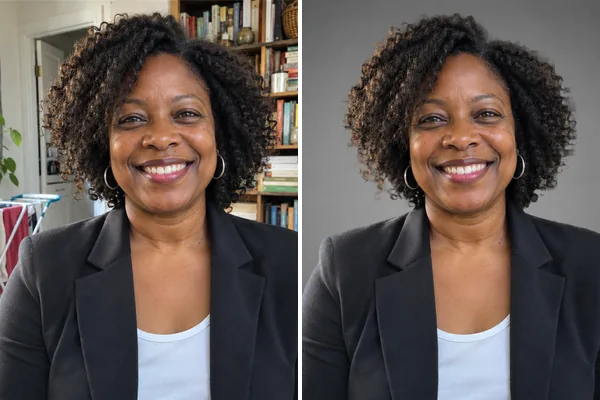
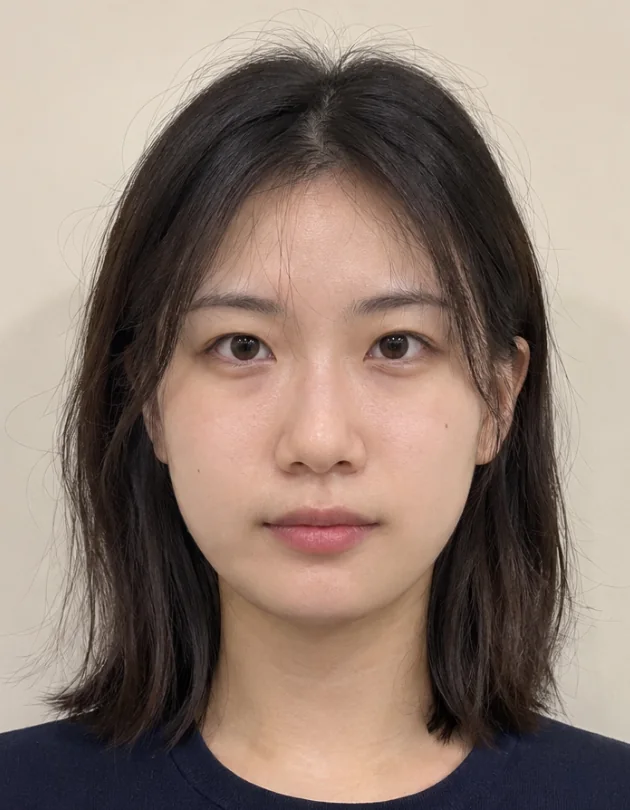 BeforeAfter
How do you change a photo’s background to white, blue or red?
Not for passports, visas, residence permits or national ID cards: most offices reject edited photos. See the next section.
For a CV, a card or a form, the free Change Background editor makes a photo of exactly the size you need:
Set the size
Open Change Background, click Canvas Size, enter the size your form asks for under Custom size:, such as 630 × 810 pixels, and click Apply.
Add your photo
Click Add Photo and choose a photo of your head and shoulders, facing the camera.
Remove the background
Click Remove BG and choose Smooth edges for neat hair, or Hair & fur for loose or curly hair.
Pick the colour
In the Background panel, open Color and click the white swatch, or type a colour code such as #FFFFFF or #64C5FF and click Set.
Fit the frame
Drag the photo’s corners until your head and shoulders fill the frame the way the form shows, with a little space above your head.
Download a JPG
Click Download, choose JPG and save the photo. It is free.
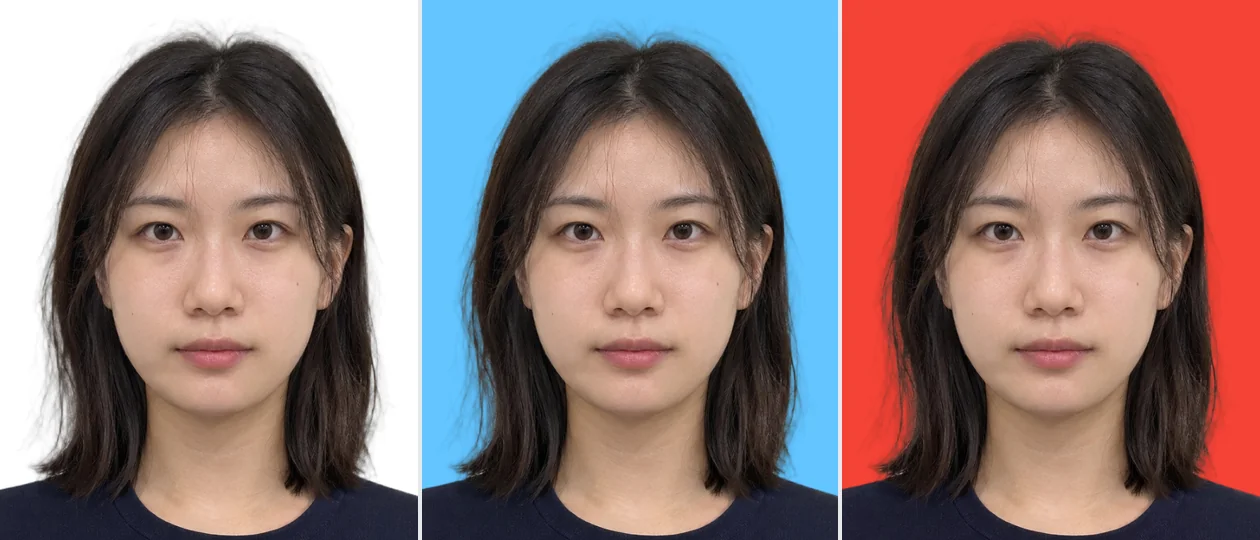
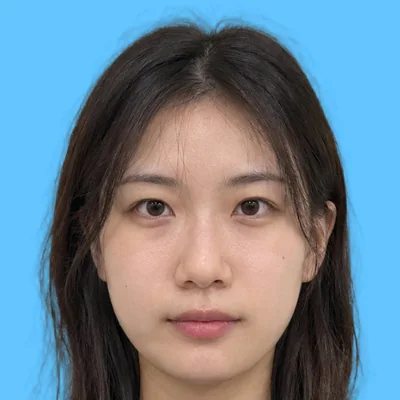
Right:A light colour: the outline of the hair is clear.
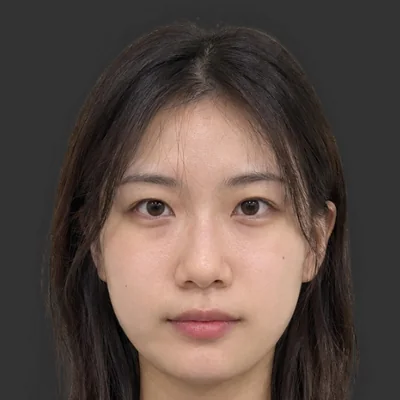
Wrong:Too dark: the hair merges into the background.
Zoom in on the hair before you download. If a light fringe of the old wall shows around it, try the other edge setting, or take the photo again in front of a plainer wall.
Can you change the background of a passport or ID photo?
Usually not. Passport and visa offices compare the photo with your face, often with face recognition, so they want an unaltered photo, and several name background edits:
| Where | What the rules say |
|---|---|
| Canada | Any edit makes a photo “altered”, and the examples include “cutting and pasting the subject against a white background” and changes to colour or brightness. Altered photos are rejected. |
| South Korea | Photos with the background erased, or with the person pasted onto a white background, are not accepted, and neither are AI-edited photos. |
| United States | Digital manipulation or retouching of the face is not acceptable, and neither are beauty filters from apps. |
| United Kingdom | The photo must be “unaltered by computer software”. |
| Australia | No retouching is permitted; only brightness and contrast may be adjusted. |
| Japan | Prefectural passport offices don’t accept retouched or processed photos, and the immigration agency says editing that changes your appearance is never appropriate. |
| India | Passport photos should be “unaltered by computer software”. |
| Germany | Since 1 May 2025, only digital photos from certified photographers or the office’s own terminal are accepted. |
In some countries the office takes the photo itself, for example for Brazilian passports (applicants over 5) and Indonesian passports and ID cards, so you can’t bring your own at all.
An edited passport or visa photo can get your application rejected or delayed. Take a new photo instead: it costs far less than a rejected application.
Which background colour does each passport need?
White is the most common, but not everywhere. If you take the photo yourself, stand in front of a wall of the right colour:
| Where | Background | Photo size |
|---|---|---|
| United States | Plain white or off-white, no shadows | 2 × 2 in (51 × 51 mm) |
| United Kingdom | Plain and light; cream or light grey recommended (5% to 10% grey) | 45 × 35 mm printed; at least 600 × 750 pixels digital |
| France | Plain and light, such as light blue or light grey; white is not allowed | 35 × 45 mm |
| Germany | One plain colour that contrasts clearly with the face and hair | Digital, from a certified photographer or the office |
| Canada | Plain white or light-coloured | 50 × 70 mm |
| New Zealand (visas) | Plain and light-coloured, not white | 900 × 1200 to 2250 × 3000 pixels |
| India | White | 630 × 810 pixels (online) |
| China (visas) | White | 33 × 48 mm |
| Japan | Plain; white recommended | 35 × 45 mm |
| South Korea | Plain white | 35 × 45 mm |
| Turkey | White | 50 × 60 mm |
| Vietnam | White | 4 × 6 cm |
Rules change. Check the current page of the office you apply to before you take the photo.
When is it fine to change the background colour?
Whenever the organisation that asked for the photo doesn’t forbid editing: CVs and job applications, staff and student cards, gym and club memberships, and many school and exam forms. The colours there are mostly custom, so do what the notice says:
- Japan: the labour ministry’s model CV has a photo box of 36–40 × 24–30 mm. White, blue or grey backgrounds are custom, not a rule.
- China: one graduation-registration spec allows light blue (RGB 100, 197, 255), white or light grey (RGB 240, 240, 240), even and without shadows, and forbids retouching the face. The national rules for marriage registration photos ask only for one solid colour; red is local custom.
- Indonesia: many job applications ask for red; a 2025 civil-service document list, for example, asks for a photo “dengan latar belakang merah”. The red or blue by birth year applies only to the KTP-el ID card, where the registry sets the colour and you can’t choose.
- Everywhere: the background should be even, with no shadow or gradient, and stand out from your hair and clothes.
How do you take a good ID photo at home?
These tips come from passport offices’ own guides, and they also make a background change easier:
- Stand 1 to 1.5 metres in front of a plain wall, so your shadow doesn’t fall on it.
- Ask someone to take the photo from about 1.2 to 1.5 metres away, with the camera at eye level.
- Light your face evenly, for example facing a window, with no shadows on your face or on the wall.
- Wear clothes that stand out from the background: no white top in front of a white wall.
- Turn off beauty modes and filters, and check that the photo isn’t mirrored, as selfies often are.
- Use a recent photo: most passport offices want one from the last 6 months, the UK one from the last month.
For a passport or visa photo, a photo booth, a photo shop or an online passport photo maker such as PassportPhoto.online knows each country’s rules for size and background.
Frequently asked questions
Can I change the background of my passport photo?
In most countries, no. Passport offices reject edited photos, and Canada and South Korea name background replacement specifically. Take a new photo against a plain wall of the right colour.
What colour background does a passport photo need?
Usually white or off-white. The UK prefers cream or light grey, France asks for a light colour such as light blue or light grey and doesn’t allow white, and New Zealand visa photos must not be white.
Which blue is used for ID photos?
There is no single standard. One Chinese graduation-photo spec gives light blue as RGB 100, 197, 255, which is #64C5FF. If your notice gives a colour value, use that.
Which red should I use?
We found no authority that publishes a value for red. Use the colour your notice shows, or a clear, medium red.
Why do Indonesian ID cards have red or blue backgrounds?
For the KTP-el card, the civil registry sets red for people born in odd years and blue for even years. You can’t choose, and it doesn’t affect the card’s validity. Other photos follow what the institution asks for.
What size should an ID photo be?
It depends on the document: 35 × 45 mm is common in Europe and Asia, 2 × 2 inches in the US and 50 × 70 mm for Canadian passports. For uploads, use the pixel size the form asks for.
Is it free?
Yes. In the Change Background editor, removing the background, changing the colour and downloading the photo are free.
Sources
- IRCC: Photo specifications for proof of citizenship online canada.ca
- Government of Canada: Passport photos canada.ca
- Gangnam-gu Office: Passport photo rules (Korean) gangnam.go.kr
- Geumcheon-gu Office: Passport photo rules (Korean) geumcheon.go.kr
- US Foreign Affairs Manual: 8 FAM 402.1, passport photographs fam.state.gov
- GOV.UK: Get a passport photo gov.uk
- GOV.UK: Passport photos, guidance for photographers gov.uk
- Australian Passport Office: Camera operator guidelines (PDF) pakistan.embassy.gov.au
- Immigration Services Agency of Japan: Photo requirements (Japanese) moj.go.jp
- Kanagawa Prefecture: Passport photos (Japanese) pref.kanagawa.jp
- High Commission of India: ICAO photo guidelines for passports (PDF) hcigaborone.gov.in
- City of Munich: Digital passport photos (German) stadt.muenchen.de
- German Passport Regulation, Annex 8 (German) gesetze-im-internet.de
- Service-Public.fr: Photo for passports and ID cards (French) service-public.gouv.fr
- Immigration New Zealand: Taking acceptable visa photos (PDF) immigration.govt.nz
- Chinese Consulate General in Los Angeles: Visa photo requirements losangeles.china-consulate.gov.cn
- Osaka Prefecture: Passport photos (Japanese) pref.osaka.lg.jp
- Turkish Consulate General in Los Angeles: Biometric photo guidelines losangeles-cg.mfa.gov.tr
- Brazilian Federal Police: Passport photo (Portuguese) gov.br
- Ministry of Health, Labour and Welfare of Japan: Model CV form (PDF, Japanese) mhlw.go.jp
- Dongguan Education Bureau: Graduation photo specification (Chinese) edu.dg.gov.cn
- Kemenko PMK: CPNS document checklist, 2025 (PDF, Indonesian) kemenkopmk.go.id
- Antara: Red and blue backgrounds on KTP photos (Indonesian) antaranews.com
The portrait is AI-generated. Its background was removed and replaced with ChangeBackground’s own editor, exactly as described above. Rules are quoted from official pages, checked on 25 November 2026; they change often, so check the current page of the office you apply to.