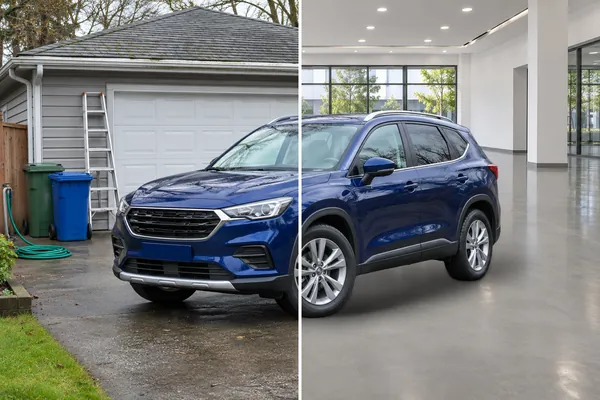
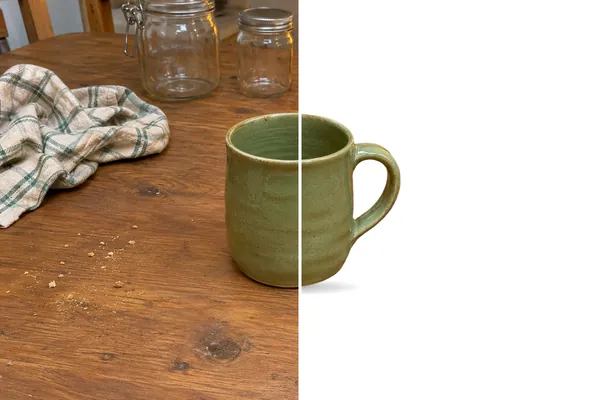
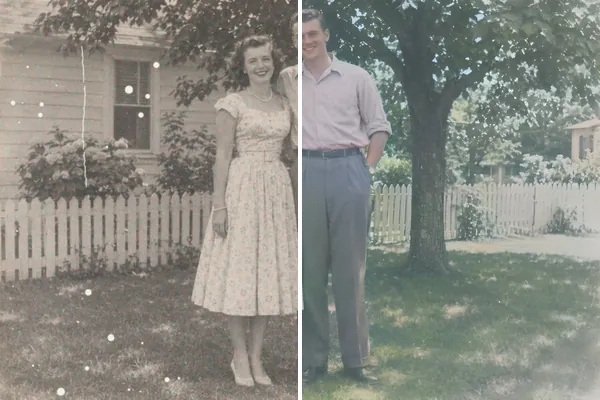
Switching tools
remove.bg moves to Canva: what changes on 1 December 2026
On 1 December 2026 at 9:00 CET, remove.bg’s standalone website, its accounts and its self-serve API stop working. Background removal moves into Canva, where it is a paid-plan feature, and the API moves to Leonardo.ai. Unused credits expire on that day. This guide sums up what changes, what to do before the deadline, and how the alternatives compare, including ours.

 BeforeAfter
What exactly changes on 1 December 2026?
remove.bg announced that its background removal is moving to Canva, the company that owns it. According to remove.bg’s own FAQ and terms, this is what happens on the day:
| What you have | What happens |
|---|---|
| Website and account | No longer available. Invoices and the credit usage report can’t be downloaded afterwards. |
| Credits (pay as you go, rollover) | Can be used until 1 December, then expire. Unused credits are not refunded. |
| Monthly subscription | Ends automatically. A final renewal on or after 1 November is free. |
| Annual subscription | Ends automatically. Unused time is refunded pro rata to your original payment method. |
| Self-serve API | Stops accepting requests. The API continues at Leonardo.ai, also part of Canva. |
| Enterprise API contract | Not affected; it continues as normal. |
| Photoshop plugin and other integrations | Discontinued on 1 December. |
For the website, remove.bg points to Canva’s Background Remover, which it says “uses the same background-removal technology as remove.bg”. Canva’s help centre says the background remover “is included with paid plans”; its feature page mentions a limited number of free high-resolution downloads to try it.
What should you do before the deadline?
- Use your remaining credits on the images you still need in full resolution.
- Download your invoices and the credit usage report from your remove.bg account page for your records.
- Move API integrations to Leonardo.ai with its migration guide, and test them before the switch. Leonardo lists background removal at US$0.1047 per image.
- Replace plugins such as the Photoshop plugin: they stop on the same day.
- Choose where your everyday editing goes: Canva if you already pay for it, or a pay-per-image tool if you only need a cut-out now and then.
How do the alternatives compare?
Prices and limits as published on 25 November 2026. ChangeBackground is our own tool, so check the other sites for their latest offers.
| Feature | remove.bg (until 1 Dec) | Canva Background Remover | ChangeBackground |
|---|---|---|---|
| Free use | Low resolution, up to 0.25 megapixels | A limited number of free high-resolution downloads | Free preview download |
| Full resolution | Up to 50 megapixels | Photos under 9 MB; larger than 10 megapixels are reduced to 10 megapixels | The full size of your photo, uploads up to 30 MB |
| Price | US$1 to US$0.21 per credit, or subscriptions from US$9 a month | Included in Canva’s paid plans | US$1.99 per image, down to US$0.18 in larger packs; no subscription |
| Credits expire | On 1 December 2026 | Not applicable | Two years after purchase |
| Many images at once | Up to 500 images a minute through the API, fewer for large photos | Up to 50 images at a time | One photo at a time |
| API | Moves to Leonardo.ai | Through Leonardo.ai | No public API |
How to remove a background with ChangeBackground
Upload your photo
Open Remove Background and choose a JPG, PNG or HEIC photo up to 30 MB, or drop it on the page. It works on phones too.
Check the edges
The cut-out appears in a few seconds. For pets and loose or curly hair, switch from Smooth edges to Hair & fur.
Keep it transparent or add a background
Pick a colour, a gradient or one of more than 260 photo backgrounds, blur the original background, or add a realistic shadow.
Download
Download the free preview, or the same photo at full size with Full resolution for 1 credit.
What else can you do here?
- Shadows that match the photo for people, cars, products and flat lays, with reflections, right in the browser. See Change Background.
- A full editor with layers, text and canvas sizes for social media and shops, at Change Background.
- Remove small objects such as litter, cables or blemishes with Remove Object.
- Enlarge small photos 2x or 4x with the Image Upscaler, and colour black-and-white photos with the Photo Colorizer.
- The whole site in 18 languages, and uploaded photos deleted automatically within 1 hour.
 BeforeAfter
When is another tool the better choice?
- You need an API. ChangeBackground has no public API. Leonardo.ai is remove.bg’s official successor for developers, and enterprise contracts continue unchanged.
- You edit hundreds of photos in one go. Here you upload one photo at a time; Canva’s paid plans remove backgrounds from up to 50 images at once.
- You already design in Canva. If you pay for a Canva plan, its Background Remover is included and your designs stay in one place.
Frequently asked questions
Is remove.bg shutting down?
Its standalone website, accounts and self-serve API stop on 1 December 2026 at 9:00 CET. The technology continues in Canva’s Background Remover, and the API at Leonardo.ai. Enterprise API contracts continue as normal.
What happens to my remove.bg credits?
All credits, including pay-as-you-go and rollover credits, can be used until 1 December 2026. Unused credits expire then and are not refunded, according to remove.bg’s terms.
Will I get a refund for my remove.bg subscription?
Annual subscriptions get a pro-rata refund for the unused time, paid automatically to the original payment method. Monthly subscriptions end without another charge, and a final renewal on or after 1 November is free.
Is Canva’s Background Remover free?
Canva says the background remover is included with its paid plans, and offers a limited number of free high-resolution downloads to try it.
Is ChangeBackground free?
Removing and changing backgrounds is free, and so is downloading a preview. A full-resolution download costs 1 credit: US$1.99 for a single image, or between US$0.90 and US$0.18 per image in packs. Credits are valid for two years, and there is no subscription.
Does ChangeBackground have an API?
No. ChangeBackground works in the browser on phones, tablets and computers. For an API, remove.bg points its users to Leonardo.ai.
What happens to the photos I upload?
Uploaded photos are deleted automatically within 1 hour.
Sources
- remove.bg: remove.bg is moving to Canva (FAQ) remove.bg
- remove.bg: General Terms and Conditions remove.bg
- remove.bg: API remove.bg
- remove.bg: Is remove.bg free? remove.bg
- remove.bg: Pricing remove.bg
- Leonardo.ai: Migrate from the remove.bg API docs.leonardo.ai
- Canva Help Center: Background remover canva.com
- Canva: Background remover canva.com
ChangeBackground wrote this guide and makes one of the tools compared. It is not affiliated with remove.bg, Canva or Leonardo.ai. Their facts and prices come from their own pages, checked on 25 November 2026.